Smart TV Remote Control
4.4172.00Reviews
Analysis ByAppCompare
I installed Smart TV Remote Control expecting a simple replacement for the remote that disappears between the sofa cushions, and that is exactly the role it tries to fill. It is a free tools app from Larry Brooks for controlling a television with a phone, aimed at people who want a practical backup rather than another complicated media center. After using it as an everyday remote, I found that its value depends less on flashy extras and more on one basic question: does it make your particular television easier to control than the physical remote already on the table?
That makes this app a little different from many phone utilities. The store summary is brief, but the real decision is not whether a phone can imitate a remote. It is whether carrying that remote on your phone is convenient enough to justify the setup and the occasional friction. I will walk through what matters before installing it, where it feels useful, where a traditional remote or another type of solution may be better, and who I think should choose it.
What I would check before making the switch
My first decision criterion is compatibility in the real world. A remote-control app can look polished and still be of little use if it cannot communicate properly with the television in your home. Before relying on it for movie night, I would test it while the original remote is still available. That way, a connection problem does not leave you unable to change input, adjust volume, or turn the television off.
The second criterion is convenience. A phone is usually nearby, but it is also locked, busy, or being used for something else. A physical remote has dedicated buttons and can be operated without looking down. Smart TV Remote Control makes more sense when your phone is already in your hand, when the original remote is missing, or when several people in the household need a backup control method.
I also pay attention to how quickly the app becomes useful. A good remote should not turn a two-second volume adjustment into a small troubleshooting session. I would install it before guests arrive, keep the television and phone ready, and try the everyday actions first: power, volume, channel or content navigation, and input selection. This simple test tells you more than a long feature list.
Because the app is free, the financial risk is low. The larger cost is time: installation, pairing, learning the layout, and deciding whether you want to keep using it. For that reason, I would judge it by repeated daily comfort rather than by the excitement of having a remote on a phone for the first few minutes.
The app is listed for Everyone, which fits its straightforward purpose. I would still supervise younger children in a shared living room, not because the tool is complicated, but because a phone-based remote can change settings or interrupt what other people are watching just as easily as a physical remote can.
How it feels in an ordinary household
My most useful scenario for this kind of app is not an elaborate home cinema. It is a normal evening when the physical remote has vanished. Someone is watching a show, the volume is too loud, and the remote is nowhere near the sofa. If the phone is already beside me, opening the app and making the adjustment is faster than searching under cushions or checking another room.
It is also handy when the original controller has worn buttons. A remote may still work, but repeated presses can become irritating, especially for volume or navigation. A phone offers a different control surface and can serve as a temporary replacement while you decide whether to buy another physical remote.
Another practical use is shared access. A household does not need to pass one remote around if more than one person has the app installed and configured successfully. That can be useful in a bedroom, guest room, or family room, although I would not assume that every television in the home will behave identically. Test each setup separately instead of treating one successful connection as proof that all devices will work.
There is a less obvious benefit too: the phone is harder to lose in a dark room if you already use it for messages or music. I can locate it quickly, open the controller, and make one adjustment without searching for a small black device. That is a modest advantage, but it is exactly the sort of advantage that determines whether a utility survives beyond its first day.
Where this app earns its place
The strongest reason to choose Smart TV Remote Control is its role as an immediate backup. It removes the need to buy a replacement before you know whether a simple phone-based controller will solve the problem. Since it is free, I can try it without committing money to a separate universal remote.
The app also suits people who prefer keeping fewer objects around. A dedicated remote is dependable when it is present, but it is another item to clean, store, and replace. A phone-based option consolidates one more everyday task into a device most people already carry. That does not make it universally superior, but it is a sensible trade for a minimalist setup.
I found the best workflow was to treat the app as a prepared fallback, not something to discover during an emergency. Install it, connect it while the television is available, and test the controls you use most. Then, if the physical remote disappears later, you are not starting from zero. This small preparation step is more valuable than repeatedly downloading and deleting remote apps whenever a problem occurs.
Another useful habit is to keep the app near the front of the phone’s app list or in a folder with household utilities. A remote is only convenient if it can be opened quickly. This is a minor phone-organization tip, but it makes a noticeable difference because the app’s main purpose is speed and access, not extended browsing.
The current version is 1.2.3, and the app has reached over a million installs with an average rating of 4.4 from around nine thousand ratings. Those figures suggest that many people find the basic idea useful, although they do not guarantee that it will suit every television or every phone. I would treat the popularity as a reason to try it, not as a substitute for testing your own setup.
What may slow you down
The main weakness of any phone remote is that it adds a device between you and the television. With a physical remote, you press a button. With an app, you may need to unlock the phone, locate the app, wait for it to become ready, and then make the same press. If your phone is across the room or its battery is low, the convenience disappears quickly.
There is also a difference in tactile feedback. A physical remote lets me feel the buttons without looking. A phone screen is flatter and less forgiving, especially when I am trying to navigate quickly or adjust the volume in a dark room. People with large hands, limited dexterity, or a strong preference for physical controls may find the traditional remote more comfortable.
Connection behavior is another reason to test early. I would not build an important presentation, family event, or guest-room setup around the app until I had confirmed that it responds consistently. A remote app can be perfectly useful for casual control while still being the wrong tool when uninterrupted reliability matters more than convenience.
Battery management matters as well. The television may be ready, but the phone might be charging in another room or running low after a long day. I recommend keeping the original remote accessible until the app has earned your trust. That is not a criticism unique to this product; it is the unavoidable trade-off of replacing a dedicated device with a multipurpose one.
I would also avoid assuming that a phone remote automatically replaces every button on the original controller. The important test is not whether the app looks like a remote, but whether it gives you the actions you actually use. If you regularly access obscure television settings, switch between several external devices, or rely on specialized buttons, compare those needs carefully before putting the physical controller away.
When another option makes more sense
A physical replacement remote is the better choice for someone who wants instant access, tactile buttons, and independence from a phone. It is especially sensible for an older family member who does not want to unlock a smartphone, or for a television used by many people who prefer a familiar layout. In that situation, Smart TV Remote Control is best kept as a backup rather than the main controller.
A universal remote may fit better when one controller needs to operate several kinds of equipment. If your living room includes a television, sound system, streaming box, and other devices, a dedicated universal solution can reduce the number of control methods. I would choose that route when the goal is to simplify a whole setup, not merely replace one missing remote.
The television’s own remote app or ecosystem may also be preferable if you already use other connected features from the same manufacturer. A first-party option can feel more integrated in a household built around one brand. I would not switch away from Smart TV Remote Control automatically, but I would compare the two experiences if your main priority is deep control rather than basic convenience.
Voice control is another category, not a direct replacement for everyone. It can be useful when your hands are occupied or when you want to perform a simple action without touching a screen. However, voice commands are not always the best choice for quiet rooms, precise navigation, or shared spaces. Smart TV Remote Control remains more discreet when you just need a quick adjustment.
The cost of switching is therefore mostly practical. Moving from a physical remote means learning a new control surface and accepting that your phone becomes part of the viewing routine. Moving from another remote app means repeating setup and deciding whether this interface responds more naturally. Since this app is free, I would test it alongside the existing method instead of deleting the old solution immediately.
For readers wondering whether it works without any preparation, my advice is simple: do not wait until the original remote is lost. Install it while you can still recover from a failed connection, try the core controls, and keep a backup nearby during the first few viewing sessions. That workflow answers the most important question—whether it is dependable in your home—without creating unnecessary risk.
Who should install it
I recommend it to people who frequently misplace the television remote, want a free emergency replacement, or already keep their phone close while watching. It is also a good fit for a guest room where buying an extra controller feels unnecessary, provided the setup works reliably with the television there.
I would be more cautious if you need a controller for several devices, require specialized buttons, or dislike using a touchscreen for basic actions. In those cases, a universal remote, a manufacturer-specific solution, or the original physical controller may be more satisfying. The app is not a magic upgrade; it is a practical alternative with a particular strength: availability when your phone is already in your hand.
Larry Brooks has positioned this as a tools app rather than an entertainment platform, and that distinction matches my experience. I do not open it to browse or spend time inside it. I open it to perform a task and close it again. The best sign of success is that it fades into the background of the evening.
My recommendation after using it
My overall view is positive, with a clear condition: try it as a backup first and promote it to your main remote only after testing your own television. The free price makes experimentation easy, and the app’s broad adoption gives it a reasonable starting point for anyone seeking a phone-based controller. Its value is strongest in small, everyday moments rather than in advanced home-theater control.
I would install it if losing the remote is a recurring annoyance and my phone is normally within reach. I would keep a physical remote available if reliability, tactile buttons, or multi-device control matters more than convenience. That is the honest dividing line. Smart TV Remote Control can remove a surprisingly common household frustration, but it should earn that role through a few real tests in your room.
Released on June 26, 2025, and compatible with operating systems from version 10 onward, it is accessible to a wide range of supported phones. For me, that makes the decision straightforward: download it, prepare it before you need it, test the everyday controls, and keep it only if it genuinely saves time. If it does, this small free utility becomes a useful part of the household toolkit; if it does not, returning to a physical or more integrated alternative is the sensible choice.
FAQ
What is Smart TV Remote Control, and how does it work?
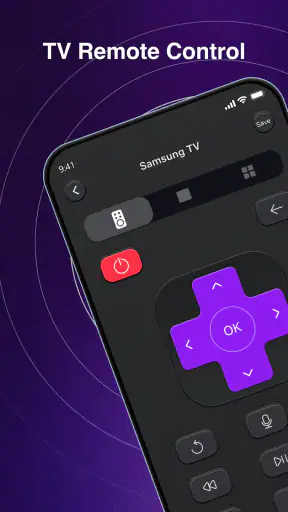
Smart TV Remote Control is a mobile application that turns your Android or iPhone into a remote for compatible smart televisions. After installing it, you generally connect the phone and TV to the same Wi-Fi network, select the television from the available devices, and use the on-screen buttons for navigation, volume, channels, input selection, and other functions. The exact features depend on your TV model and the app version.
Which televisions are compatible with Smart TV Remote Control?
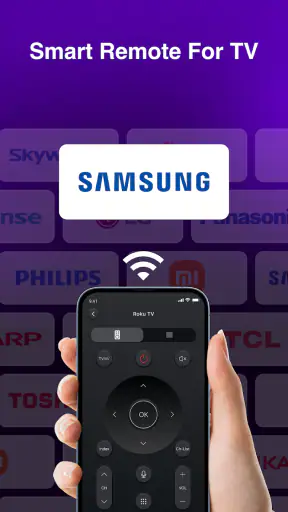
Compatibility varies according to the specific Smart TV Remote Control app and the television manufacturer. Many versions support popular brands such as Samsung, LG, Sony, Philips, TCL, Hisense, and Android TV devices, but not every model is guaranteed to work. Before downloading, check the app listing for supported brands, operating-system requirements, and any compatibility notes. Older televisions may require an infrared-capable phone or an additional accessory.
Does Smart TV Remote Control require Wi-Fi or an internet connection?
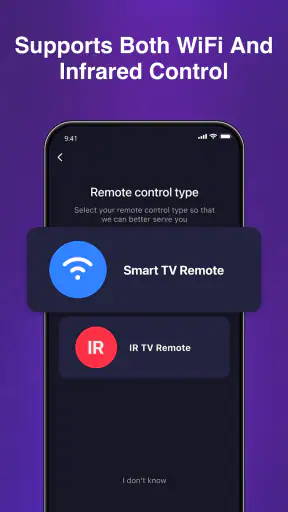
Most smart-TV remote applications communicate through your local Wi-Fi network, meaning the phone and television usually need to be connected to the same router. An active internet connection may not be necessary after both devices are on the same network, although some features, advertisements, account services, or updates can require internet access. If your phone and TV use different networks, pairing may fail even when both devices are online.
Can I use the app if my original remote is lost or broken?
In many cases, yes, which is one of the main advantages of Smart TV Remote Control. If the television is already connected to Wi-Fi and the app can detect it, you can often pair the phone without using the original remote. However, some TVs display a confirmation message that must be accepted manually, and certain models may need an initial setup through physical buttons, an infrared phone, or another compatible remote.
Is Smart TV Remote Control free and safe to use?
The application may be free to download, but some versions include advertising, optional subscriptions, or paid features such as advanced controls and an ad-free experience. Review the permissions requested before installation and avoid unofficial copies from unknown websites. A legitimate app should explain why it needs network, Bluetooth, or local-device access. Also remember that remote apps can potentially see devices on your network, so use a reputable developer and keep the app updated.
Pros
- Works with many popular TV brands and models.
- Quick pairing makes setup simple for most users.
- Clean interface with easy-to-find remote controls.
- Useful alternative when the physical remote is missing.
- Some versions include volume and channel shortcuts.
Cons
- Requires a compatible smart TV and the same Wi-Fi network.
- Some features may be locked behind a subscription.
- Performance can vary depending on the TV brand.
- Ads may appear during use in the free version.
- Not suitable for TVs without network or remote-control support.